
WSL Proxy and Mirrored Networking
When I installed WSL 2 on a new system, I saw this message:
wsl: A localhost proxy configuration was detected but not mirrored into WSL. WSL in NAT mode does not support localhost proxies.
That immediately reminded me of a long-standing headache:
- WSL 2 usually cannot use the Windows proxy directly, which makes proxy setup for git and GitHub more annoying than it should be
- The IP address visible from WSL 2 is usually an internal virtual IP rather than one accessible to other devices on the local network, which makes LAN testing more inconvenient
By default, WSL 2 uses NAT networking. The message above shows that WSL now supports mirrored networking. In mirrored mode, WSL supports localhost proxies. That means WSL 2 and Windows can share network settings and proxy behavior automatically.
How to enable mirrored networking
- Open WSL Settings in Windows
- Go to the Network tab
- Change the network mode from NAT to Mirrored
- Restart WSL for the change to take effect
(runwsl --shutdownin PowerShell, then open WSL again)
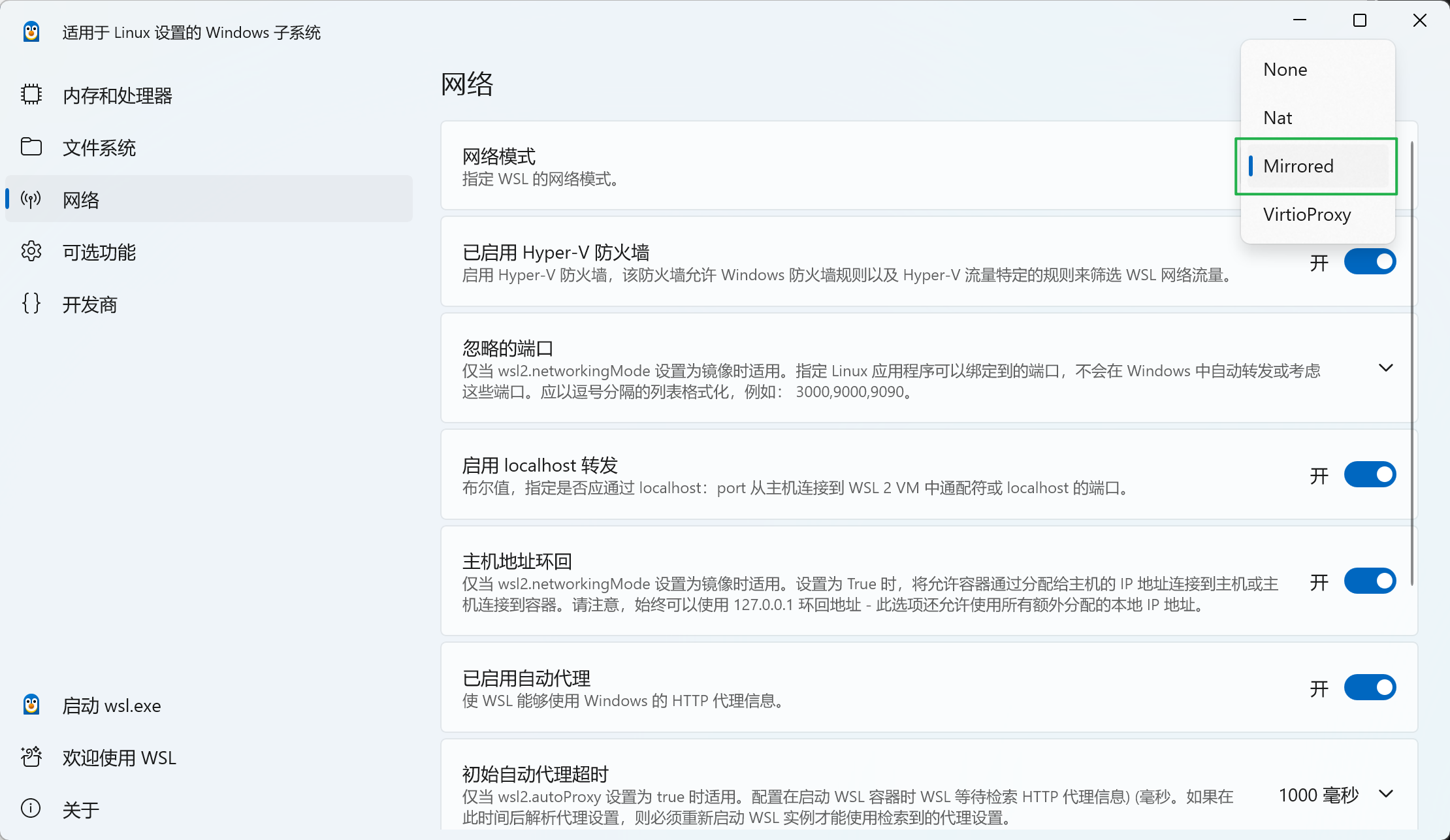
At that point, the problems above are basically solved.