R Basics
Vectors
To create a vector, use the c command, which stands for concatenate or combine.
> v <- c(3,1,4,1,5,9)To create a scalar:
> n <- 100R views n as a vector of length 1.
You can inspect many vector properties immediately:
> sum(v)
[1] 23
> max(v)
[1] 9
> min(v)
[1] 1
> length(v)
[1] 6
Subvectors are also easy:
> v[c(1,3,5)]
[1] 3 4 5
> v[-(2:4)]
[1] 3 5 9
In R, indexing starts from 1 instead of 0.
Shortcut for (1,2,...,n):
v2 = 1:28Operations are componentwise. For example:
1/(1:20)^5If a shorter vector is added to a longer one, the shorter one is recycled:
> v <- c(3,1,4,1,5,9)
> v3 <- c(100, 200)
> v + v3
[1] 103 201 104 201 105 209
Factorials and Binomial Coefficients
Use factorial(n) for and choose(n,k) for .
For logarithms, use lfactorial(n) and lchoose(n,k).
Sampling and Simulation
The sample command generates random samples in R.
> n <- 10; k <- 5
> sample(n,k)
Sampling with replacement and probabilities:
> sample(4, 10, replace = TRUE, prob = c(0.1, 0.2, 0.3, 0.4))
 [1] 3 4 4 4 3 2 4 3 3 2
The replicate command is useful for Monte Carlo simulation.
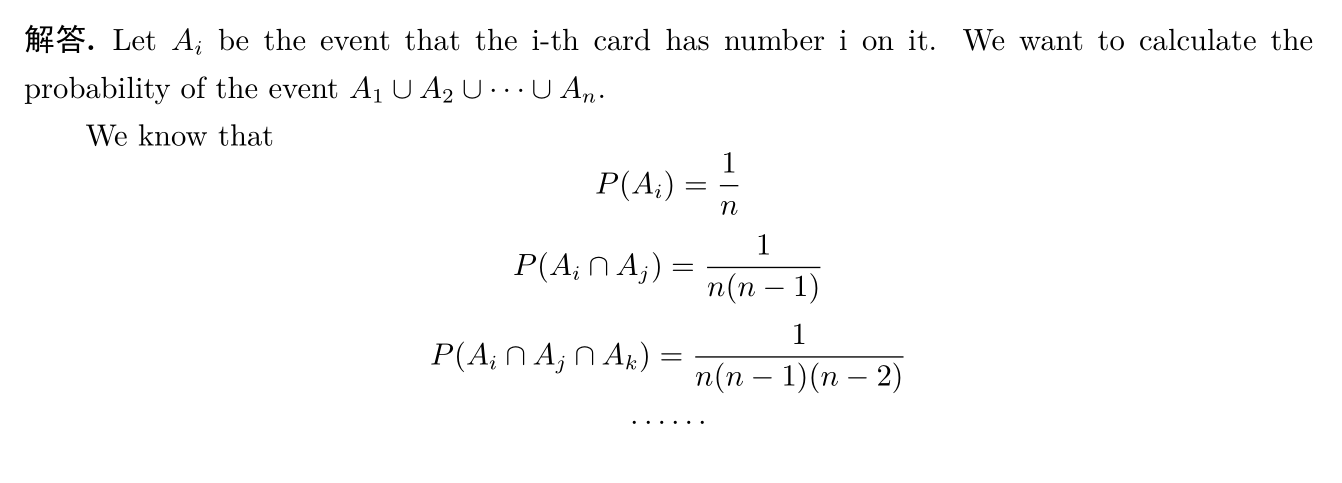
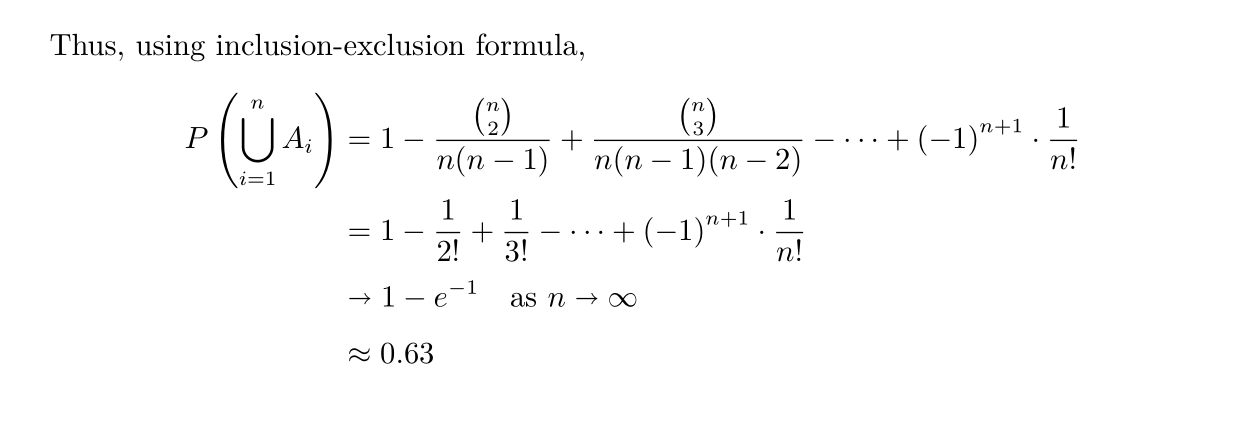
Problem (matching problem) Consider a shuffled deck of
ncards labeled 1 throughn. You flip them one by one while saying 1 throughnaloud. You win if the spoken number matches the card being turned over at any point. What is the probability of winning?